

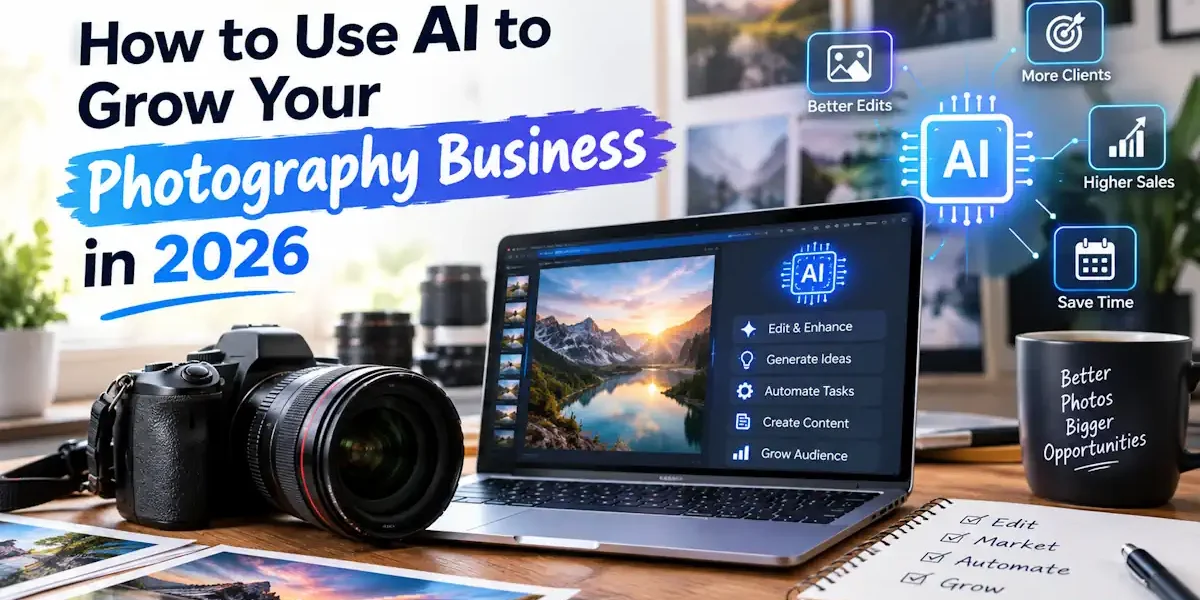
AI will not replace photographers, but photographers who use AI well are pulling ahead of those who do not. In 2026, the smartest way to use AI in a photography business is to let it handle the slow, repetitive work, such as culling, editing, admin, and marketing, so you spend more time shooting, selling, and serving clients. This guide shows you exactly how to use AI to grow your photography business, step by step, with practical tools, real examples, and clear cautions.
Key Takeaways
- Use AI to save time first: culling, editing, and admin are the biggest early wins.
- AI marketing tools help you post consistently, write captions, and run ads with less effort.
- Automating booking, invoicing, and client emails improves cash flow and client experience.
- Always keep your human style, judgment, and ethics in control. AI is an assistant, not the artist.
- Be transparent with clients and avoid using AI in ways that mislead or replace real, promised work.
Why AI Matters for Photographers in 2026
- Time is your scarcest resource. Editing and admin can eat more hours than shooting. AI gives those hours back.
- Clients expect fast turnaround. AI-assisted editing and delivery help you meet shorter deadlines.
- Marketing never stops. AI helps you stay visible online without hiring a full marketing team.
- Competition is rising. Efficient photographers can take on more work and price more competitively.
- It lowers the skill barrier for business tasks. You can run polished marketing and admin even if that is not your strength.
Where AI Fits in a Photography Business
Think of your business in five areas. AI can help in every one of them:
| Business Area | How AI Helps | Time Saved |
|---|---|---|
| Editing and culling | Auto-select best shots, batch edits, retouching | High |
| Marketing | Captions, blog posts, ad copy, scheduling | High |
| Admin and booking | Scheduling, invoices, contracts, reminders | Medium to high |
| Client service | Fast replies, FAQs, follow-ups | Medium |
| Business planning | Pricing ideas, analytics, content strategy | Medium |
1. Use AI to Speed Up Editing and Culling
This is where most photographers feel the biggest difference. After a wedding or large shoot, AI can sort through thousands of images and handle first-pass edits in a fraction of the time.
- Culling tools can flag the sharpest, best-exposed, eyes-open shots automatically.
- AI editing can apply your style across a whole gallery, matching exposure and color.
- Retouching tools handle skin, blemishes, stray hairs, and background cleanup quickly.
- Upscaling and noise-reduction tools rescue low-light or older images.
Example: A wedding photographer shoots 3,000 frames. AI culling narrows it to the best 600 in minutes, then an AI editing profile applies the photographer’s signature look. The photographer reviews and fine-tunes, cutting editing time from days to hours.
2. Use AI for Marketing and Content
Staying visible is a constant job. AI helps you market consistently without burning out.
Social media and captions
- Generate caption drafts, hashtags, and post ideas in your brand voice.
- Schedule a month of posts in one sitting using AI planning tools.
- Turn one shoot into many posts: carousels, reels scripts, and stories.
Website, blog, and SEO
- Draft blog posts about recent shoots, locations, and tips to attract local searches.
- Write and improve service pages and image alt text for better SEO.
Ads and email
- Draft ad copy variations to test which message converts best.
- Write newsletter and promo emails that keep past clients coming back.
Example: A portrait photographer feeds notes from a session into an AI tool and gets a blog post, five captions, and a newsletter in under an hour, all in a consistent brand voice.
3. Use AI to Automate Booking and Admin
Admin work is invisible to clients but vital to your income. AI and automation keep it running smoothly.
- Let clients self-book with AI-assisted scheduling that avoids double bookings.
- Automate invoices, payment reminders, and contract sending.
- Use AI to draft proposals, FAQs, and standard email replies.
- Set up chatbots to answer common questions and capture leads around the clock.
Example: A new inquiry arrives at midnight. An AI chatbot answers pricing and availability questions, sends a booking link, and captures the lead, so the photographer wakes up to a confirmed consultation.
4. Use AI to Improve Client Experience
- Respond faster with AI-drafted replies that you review and personalize.
- Create helpful client guides, such as what to wear or how to prepare.
- Send automated but warm follow-ups, thank-you notes, and review requests.
- Translate messages for clients who speak other languages.
5. Use AI for Pricing, Planning, and Analytics
- Analyze which packages, seasons, and services bring the most profit.
- Brainstorm pricing tiers and upsell ideas based on your market.
- Summarize client feedback to spot patterns and improve your service.
- Plan content calendars and marketing campaigns around your busy seasons.
AI Tools by Category
You do not need every tool. Pick one per area and learn it well. Common categories include:
| Category | What to Look For | Use It For |
|---|---|---|
| AI culling | Fast sorting, quality and focus detection | First-pass photo selection |
| AI editing | Style matching, batch edits, retouching | Color, exposure, skin, cleanup |
| Upscaling and denoise | Detail recovery, noise removal | Low-light and older images |
| AI writing | Brand-voice captions, blogs, emails | Marketing and client comms |
| Scheduling and CRM | Booking, invoices, reminders | Admin and client management |
| Chatbots | Lead capture, FAQ answers | Website inquiries 24/7 |
Tool names and features change often. Choose based on current reviews, free trials, and how well each fits your workflow.
A Simple 30-Day Plan to Start
- Week 1: Pick one AI editing or culling tool and run it on a past shoot to learn it.
- Week 2: Add an AI writing tool and draft a month of captions plus one blog post.
- Week 3: Automate one admin task, such as booking, invoicing, or reminders.
- Week 4: Set up a chatbot or auto-replies for inquiries, then review what saved the most time.
After 30 days, keep what works, drop what does not, and expand from there.
Benefits vs Risks of Using AI
| Benefits | Risks to Manage |
|---|---|
| Saves hours on editing and admin | Over-reliance can weaken your own skills |
| More consistent marketing and visibility | Generic output if you skip personalization |
| Faster turnaround and happier clients | Editing that looks fake if overdone |
| Lower cost than hiring for every task | Privacy concerns with client images and data |
| More time to shoot and sell | Ethical issues if AI misleads clients |
Ethics and Best Practices
- Be transparent. If AI meaningfully alters images beyond normal editing, be honest with clients.
- Protect client data. Check how any tool stores and uses uploaded photos and personal information.
- Keep your voice. Always edit AI-written text so it sounds like you, not a robot.
- Deliver what you promise. Do not replace real, agreed photography with AI-generated images without consent.
- Stay in control. Use AI as an assistant. Your eye, judgment, and style are the product.
Common Mistakes to Avoid
- Trying ten tools at once instead of mastering one per area.
- Posting AI captions with no edits, so they feel generic.
- Over-retouching until portraits look unnatural.
- Ignoring client privacy when uploading images to AI tools.
- Letting AI set your prices or style without your own judgment.
Conclusion
Learning how to use AI to grow your photography business in 2026 comes down to one idea: let AI handle the repetitive work so you can focus on creativity, clients, and sales. Start with editing or admin, add marketing, then automate the rest, one step at a time. Keep your style and ethics firmly in control, stay honest with clients, and treat AI as a powerful assistant rather than a replacement. Do that, and you will work faster, market better, and grow a stronger, more profitable business.
Frequently Asked Questions
How can AI help my photography business?
AI speeds up editing and culling, writes marketing content, automates booking and admin, improves client service, and supports pricing and planning, saving you significant time.
Will AI replace photographers?
No. AI handles repetitive tasks, but your eye, style, and client relationships are what clients pay for. Photographers who use AI well simply work faster and grow more.
What is the easiest way to start using AI as a photographer?
Start with one AI editing or culling tool on a past shoot. Once comfortable, add an AI writing tool for captions and blogs, then automate one admin task.
Is it ethical to use AI in photography?
Yes, when used responsibly. Be transparent about major AI changes, protect client data, and never replace promised real photography with AI images without consent.
Can AI help me get more clients?
Yes. AI helps you market consistently, improve SEO, respond to inquiries quickly, and follow up with past clients, all of which support steady client growth.
Do I need to pay for expensive AI tools?
Not at first. Many tools offer free trials or affordable plans. Start small, prove the time savings, then invest in the tools that clearly pay off.